TEMPO METADATA
Tempo changes tick-to-time mapping
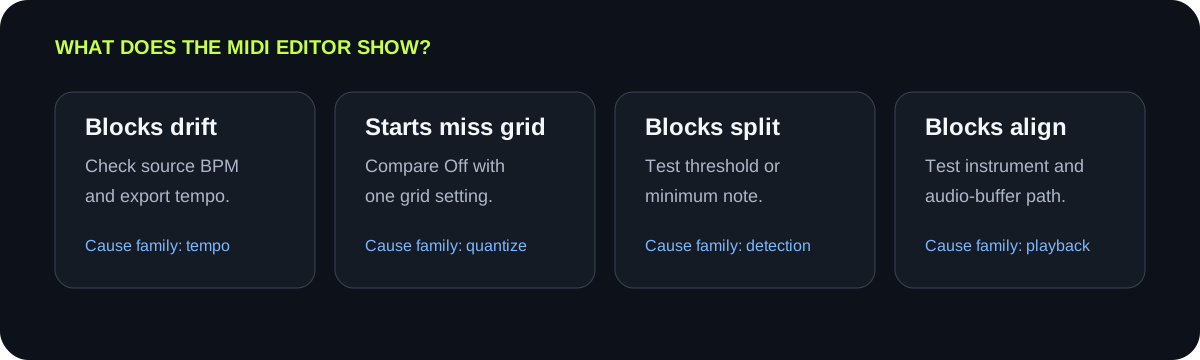
The current writer uses 480 ticks per quarter note and calculates ticks per second from the selected BPM. A wrong BPM can make the exported pattern drift relative to the audio timeline.
DIAGNOSE BEFORE EDITING
First decide whether the notes are stored at the wrong positions or only sound late during playback. If the MIDI blocks are misplaced, check tempo and quantize settings. If blocks are split or missing, change detection controls. If blocks look correct but sound late, inspect the instrument and audio-buffer path in your music app.
CONTROLLED RETEST
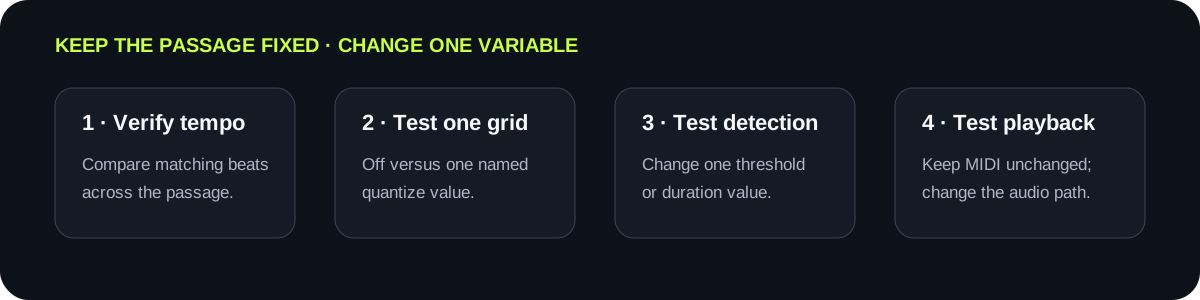
Keep the source fixed, change one control, and compare the same note starts in the same MIDI editor.
INPUT MP3 / WAV / M4A / FLAC / OGG → OUTPUT .MID
or click to choose audio from your device
MP3, WAV, M4A, FLAC, or OGG · one file · up to 50 MB / 5 minutesRESULT
Your audio stays on your device. All processing happens in this browser. No file is uploaded to a server.
| Observed symptom | Most direct test | Change one thing | Stop condition |
|---|---|---|---|
| Spacing drifts farther from the beat over time | Compare the source tempo with the exported MIDI tempo | Set Tempo to the source BPM, then export again | Equivalent beats stay aligned across the passage |
| Note starts sit between intended grid lines | Compare Quantize Off with one named grid | Select the smallest grid that represents the rhythm | Target starts align without erasing pickups or syncopation |
| One held note becomes several short notes | Inspect note blocks before changing the grid | Raise Minimum note in one step | Fragments merge or disappear while real short notes remain |
| Quiet sounds trigger early or late extra notes | Compare the same passage at one higher threshold | Raise Silence threshold in a small step | Quiet false events disappear and the melody remains |
| Blocks are on time but audio playback sounds late | Use the editor playhead and block positions as the reference | Test a lighter instrument or lower audio buffer in the editor | Sound follows the same unchanged MIDI blocks more closely |
TEMPO METADATA
The current writer uses 480 ticks per quarter note and calculates ticks per second from the selected BPM. A wrong BPM can make the exported pattern drift relative to the audio timeline.
GRID TIMING
The writer rounds event ticks to the selected grid. The on-page piano roll shows detected notes before file writing, so inspect the downloaded file when testing quantization.
DETECTION
Minimum note, threshold, and pitch range determine which detected events survive. Fix split or missing blocks before judging their grid placement.
PLAYBACK
If blocks align with the playhead but the instrument sounds late, the stored events may be correct. Test the destination instrument and audio path without reconverting.
QUICK ANSWERS
A tempo mismatch is the first thing to test when the offset grows across the passage. Set the export tempo to the source BPM and compare the same beats again.
Inspect whether the blocks are off-grid, fragmented by detection, or correctly placed but delayed during playback. Each symptom needs a different adjustment.
Match tempo first because it defines the tick-to-time relationship. Then compare Quantize Off with one grid setting.
No. Quantization moves the timing of accepted events. It does not restore missing pitches or combine unstable detections into the intended melody.
The preview uses detected notes before the MIDI writer applies grid snapping. Download the file and inspect it in a MIDI editor.