FILE GATE
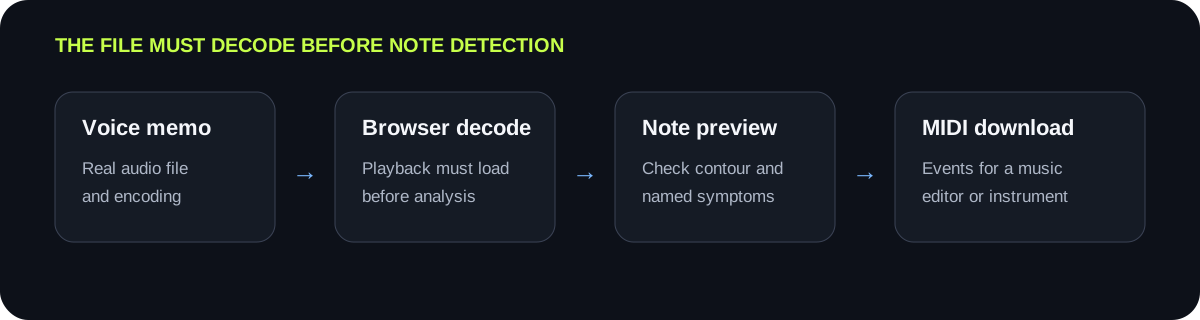
Decode comes before detection
The browser must decode the audio file before this script can analyze it. Changing a filename extension does not change the underlying encoding.
PHONE RECORDING WORKFLOW
Save the memo as an audio file your browser can decode, then upload it here. A dry recording with one hummed, sung, or played note at a time is the clearest input. Do not rename a file extension to make it look supported. If the browser cannot decode the memo, export a real MP3 or WAV copy from the recording app, then retry.
PROCESS ON THIS DEVICE
Choose a saved memo, or record a new clear melody with the microphone button. The audio is processed in this browser.
INPUT MP3 / WAV / M4A / FLAC / OGG → OUTPUT .MID
or click to choose audio from your device
MP3, WAV, M4A, FLAC, or OGG · one file · up to 50 MB / 5 minutesRESULT
Your audio stays on your device. All processing happens in this browser. No file is uploaded to a server.
| What happens | Check first | Next controlled action | Stop condition |
|---|---|---|---|
| The memo cannot be opened | Confirm its real format, not only its filename | Export a genuine MP3 or WAV copy from the source app | The browser audio player can load and play the file |
| Background music becomes notes | Listen for accompaniment under the voice | Use a dry solo memo or an isolated recording | The preview follows the voice rather than the background |
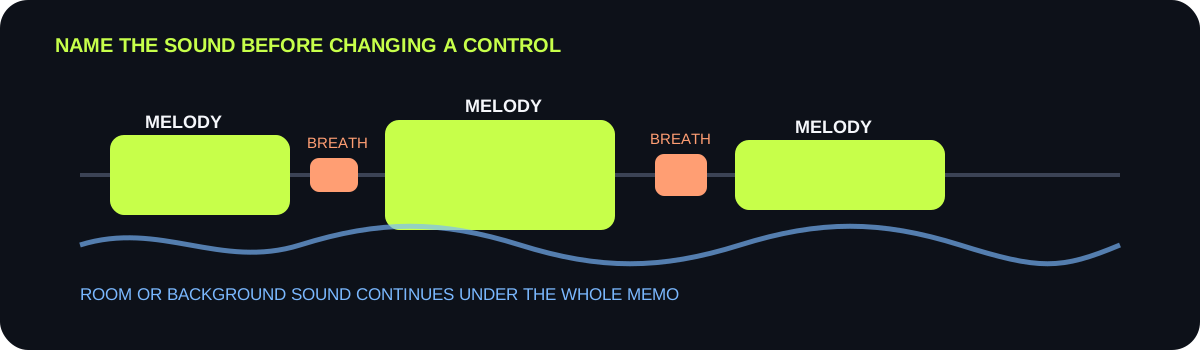
| Breaths create short fragments | Locate fragments beside audible breaths | Raise threshold or Minimum note, one at a time | Breath fragments disappear and sung note attacks remain |
| Soft intended notes disappear | Compare the missing spot with the waveform playback | Lower threshold one step | The intended note returns without extra room noise |
| Several voices overlap | Identify moments with simultaneous pitches | Record or isolate one melodic line | Only one intended pitch dominates each moment |
FILE GATE
The browser must decode the audio file before this script can analyze it. Changing a filename extension does not change the underlying encoding.
LOCAL PATH
The page reads the selected file into the browser audio context. It does not upload the memo to a server or require a user account.
VOICE SOURCE
Humming or singing a single melodic line gives the detector one intended pitch per moment. Harmony, backing tracks, and room playback add competing patterns.
RETRY RULE
Use threshold for quiet unwanted sounds and Minimum note for brief fragments. Hold the memo fixed and revert unsuccessful changes.
QUICK ANSWERS
Yes, if the browser can decode the file and the memo contains a clear single-note melody. The result is detected MIDI note events, not the original voice sound.
No. The selected audio is decoded and analyzed in this browser. The page does not send the file to a server.
The extension is accepted, but browser decoding still depends on the actual encoding. Export a real MP3 or WAV copy from the recording app rather than renaming the file.
Use the same memo and test one slightly higher silence threshold. If fragments are very brief, revert and test Minimum note separately.
Yes. Use Start recording, allow microphone access when you choose to do so, and hum one clear note at a time away from background music.