TRACEABLE VALUES
How the frequencies were calculated
This worksheet uses twelve-tone equal temperament with A4 at 440 Hz. For MIDI note number n, frequency equals 440 × 2^((n − 69) / 12); displayed values are rounded to two decimal places.
PITCH BOUNDARIES
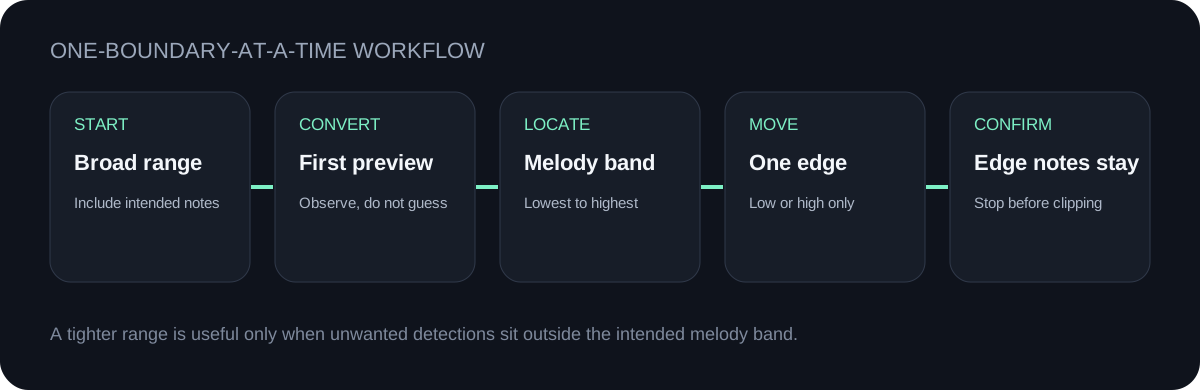
Set the low boundary at or below the melody's lowest intended note and the high boundary at or above its highest intended note. Convert once with a broad range, inspect the piano-roll preview, then move only the boundary that is admitting unwanted low or high detections.
TEST THE RANGE
Upload one supported file or record a melody. All detection happens in this browser.
INPUT MP3 / WAV / M4A / FLAC / OGG → OUTPUT .MID
or click to choose audio from your device
MP3, WAV, M4A, FLAC, or OGG · one file · up to 50 MB / 5 minutesRESULT
Your audio stays on your device. All processing happens in this browser. No file is uploaded to a server.
| Note | MIDI note number | Frequency | How to use it as a boundary |
|---|---|---|---|
| E1 | 28 | 41.20 Hz | Near the bottom of this tool's selectable low range. |
| A1 | 33 | 55.00 Hz | A low boundary for melodies that intentionally reach A1. |
| C2 | 36 | 65.41 Hz | Close to the tool's default low boundary. |
| C3 | 48 | 130.81 Hz | A narrower low boundary when no intended note falls below C3. |
| C4 | 60 | 261.63 Hz | A narrow low boundary for a melody entirely above middle C. |
| A4 | 69 | 440.00 Hz | The worksheet reference used by the frequency formula below. |
| C5 | 72 | 523.25 Hz | A high boundary only when every intended note is at or below C5. |
| C6 | 84 | 1046.50 Hz | A broad high boundary for melodies reaching C6. |
| A6 | 93 | 1760.00 Hz | A high boundary for an intentionally high melody. |
| B6 | 95 | 1975.53 Hz | Near the top of this tool's selectable high range. |
TRACEABLE VALUES
This worksheet uses twelve-tone equal temperament with A4 at 440 Hz. For MIDI note number n, frequency equals 440 × 2^((n − 69) / 12); displayed values are rounded to two decimal places.
TOO LOW
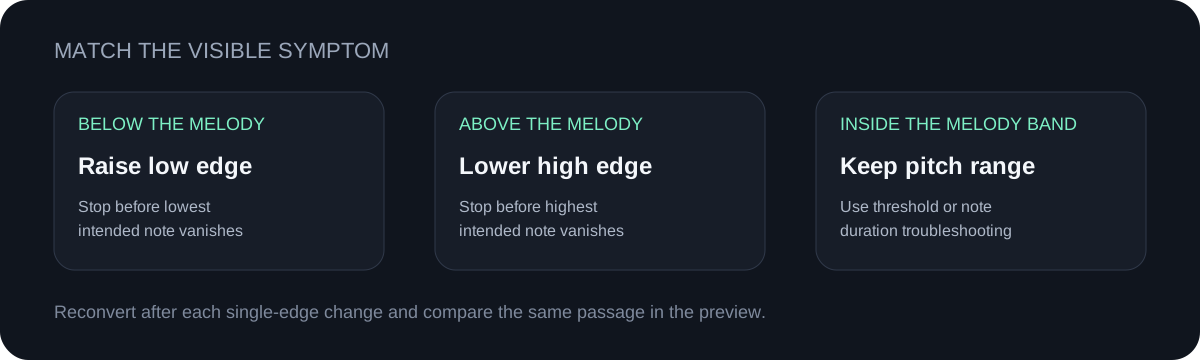
If the preview shows unwanted detections below every intended melody note, raise the low boundary toward the melody band. Stop before the lowest intended note disappears.
TOO HIGH
If the preview shows unwanted detections above every intended melody note, lower the high boundary. Stop before the highest intended note disappears.
INSIDE THE BAND
Pitch boundaries cannot remove extra notes that overlap the melody's real range. For those, keep the range and use the symptom-based control guide.
QUICK ANSWERS
Start broad enough to include the full intended melody. After the first preview, move only the low or high boundary that is admitting clearly unwanted detections.
Choose a clear melody, convert it above, then inspect the detected note timeline. Download the `.mid` and open it in a DAW or notation app for a full editable piano roll.
With A4 set to 440 Hz, use 440 × 2^((n − 69) / 12), where n is the MIDI note number.
No. It only excludes detections outside the selected range. It cannot separate overlapping notes or remove unwanted events that occupy the same pitch band as the melody.
First confirm the source has one dominant melody and inspect whether the octave shift is consistent. Keep a broad range while diagnosing it; narrowing the range can hide evidence rather than correct the detected pitch.