mp3 to midi
Runs locally in your browser

MIDI PLAYBACK

Why Does the Same MIDI File Sound Different?

MIDI stores performance events, not recorded audio. The receiving app chooses the instrument, samples or synthesis, velocity response, effects, mixer routing, and output processing. Keep the same `.mid` file and change one playback variable at a time to find the cause.

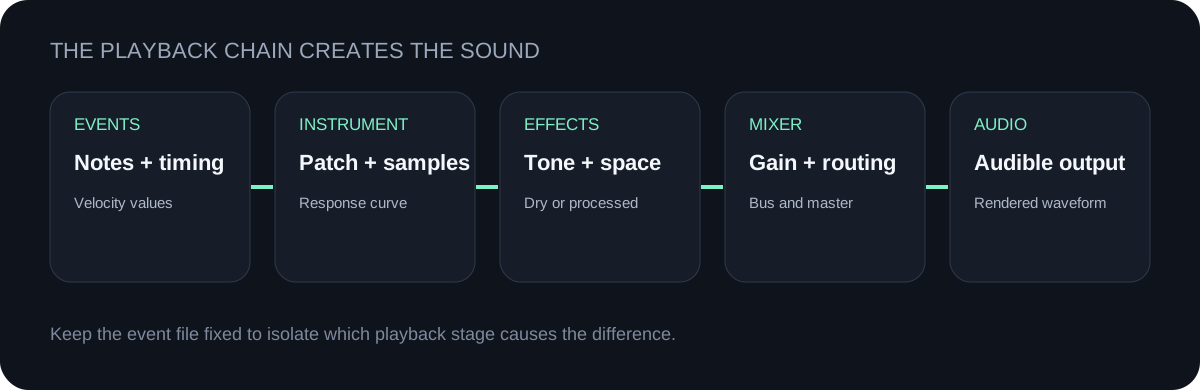
Diagram showing MIDI events entering an instrument, effects, mixer, and audio output
The `.mid` supplies performance instructions; the playback chain supplies the audible sound.

CREATE THE EVENTS

Convert audio to a MIDI file

The downloaded file contains detected note events and timing, not the original waveform.

INPUT  MP3 / WAV / M4A / FLAC / OGG → OUTPUT  .MID

Drop one audio file here

or click to choose audio from your device

Choose audioMP3, WAV, M4A, FLAC, or OGG · one file · up to 50 MB / 5 minutes
Or capture one clear melody with your microphone.

Your audio stays on your device. All processing happens in this browser. No file is uploaded to a server.

No sign-upOne file at a timeNo watermark
Playback variableKeep fixed for comparisonWhat can sound differentIsolation step
Instrument or presetUse the same patch in both tests.Timbre, attack, sustain, release, and octave emphasis.Load one known preset before comparing anything else.
Velocity responseKeep the same MIDI file and instrument settings.Loudness, brightness, and articulation may respond differently to the same velocity values.Compare with the same velocity curve or response setting.
EffectsBypass or match reverb, delay, modulation, distortion, and dynamics.Space, tone, transients, and perceived note length.Start dry, then enable one effect at a time.
Mixer and routingMatch track gain, pan, sends, output bus, and master processing.Level, stereo position, color, and dynamics.Route both tests through the same path at matched settings.
Project timingUse the same project tempo and import behavior.Playback speed, spacing, and rhythmic feel.Confirm tempo and region start before judging the sound.
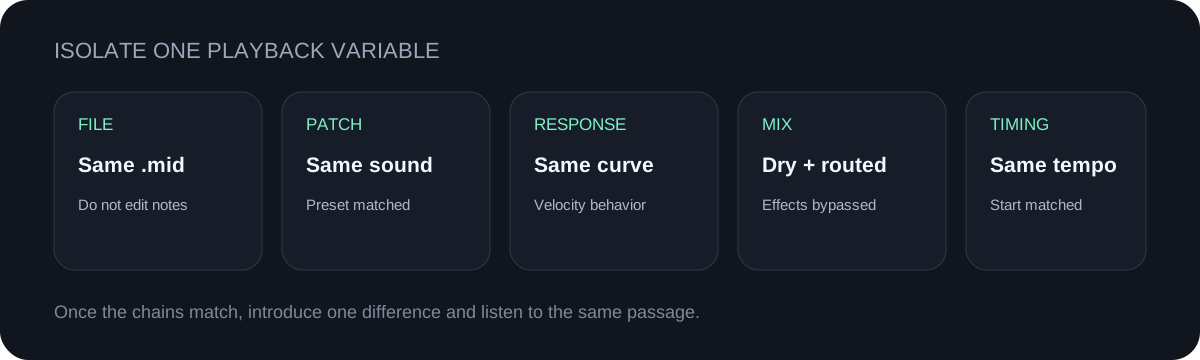
Five-step checklist for isolating why the same MIDI file sounds different
Keep the MIDI file fixed. Match the instrument first, then move through response, effects, routing, and timing.

THIS TOOL'S FILE

No instrument program is forced

The MIDI writer used here saves tempo, a track name, note-on events with velocity, note-off events, and the end of track. It does not write a program-change event, so the receiving app or track selects the instrument.

AUDIO VS MIDI

The source waveform is not inside

MP3 and WAV carry rendered sound. The downloaded `.mid` carries event data. A piano, synth, guitar library, or phone player can render the same events with a different audible result.

FAIR TEST

Keep the event file unchanged

Use the identical `.mid` file for both tests. If note positions, velocities, or durations are edited, you are comparing both performance changes and playback changes at once.

EXPORT CHECK

Compare rendered audio last

After the live playback chain matches, export the same passage with matched sample format and level settings. This prevents export differences from being mistaken for MIDI differences.

QUICK ANSWERS

MIDI sound questions

Why do MIDI files sound different?

A MIDI file supplies events, while the playback app supplies the instrument and audio chain. Different presets, velocity responses, effects, routing, and tempo handling can render the same events differently.

What is the difference between audio and MIDI?

Audio files store a rendered waveform. MIDI files store performance instructions such as note events, timing, and velocity. MIDI needs an instrument or other sound generator for playback.

Why did my MIDI instrument change after import?

This tool's downloaded file does not force an instrument program. The destination track or app chooses the sound, so assign the intended instrument after import.

Does different sound mean the conversion notes changed?

Not necessarily. Open the piano roll and compare note positions, durations, and velocities. If those match, investigate the playback chain rather than reconverting the audio.

How do I make a fair A/B comparison?

Use the identical `.mid`, select the same instrument preset, bypass effects, match routing and tempo, then introduce one playback variable at a time.

Download the playback comparison checklist (.csv)